2. Asking the atoms questions
Here is the third idea: every analysis is used the same way. Learn it once and you can use all of them. This lesson asks of a copper nanoparticle: how many of its atoms are on the surface, and which are still in the crystal?
A nanoparticle
Cut a sphere out of a crystal. A new column holds the distance from the center,
and filter keeps the atoms within 18 Å:
import numpy as np
from mdapy.build import build_crystal

crystal = build_crystal("fcc", 3.615, elements="Cu", repeat=(12, 12, 12))
center = crystal["positions"].mean(axis=0)
crystal = crystal.with_columns(
    distance=np.linalg.norm(crystal["positions"] - center, axis=1)
)
particle = crystal.filter("distance < 18")
print(particle)
System: 2112 atoms (Cu2112)
  box:      43.38 × 43.38 × 43.38 Å, orthogonal, periodic x y z
  columns:  positions (3), element, distance
The box is still periodic, but it is 7 Å wider than the particle, more than any cutoff below, so the particle does not meet its own images.
The pattern
Count the neighbors of each atom:
from mdapy.analysis import CoordinationNumber

analysis = CoordinationNumber(cutoff=3.0)  # 1. the parameters
result = analysis.compute(particle)  # 2. the computation
particle = particle.with_columns(result)  # 3. the answer, as a column
print(particle)
System: 2112 atoms (Cu2112)
  box:      43.38 × 43.38 × 43.38 Å, orthogonal, periodic x y z
  columns:  positions (3), element, distance, coordination, coordination_Cu
These three steps are the same for every analysis in MDAPY. A wrong parameter fails at step 1, before anything is computed. The new column is like any other, so everything from the last lesson works on it:
surface = particle.filter("coordination < 12")
print(f"{len(surface)} of {len(particle)} atoms are on the surface")
print(particle.table.group_by("coordination").len().sort("coordination"))
724 of 2112 atoms are on the surface
shape: (7, 2)
┌──────────────┬──────┐
│ coordination ┆ len  │
│ ---          ┆ ---  │
│ i64          ┆ u32  │
╞══════════════╪══════╡
│ 6            ┆ 168  │
│ 7            ┆ 108  │
│ 8            ┆ 84   │
│ 9            ┆ 172  │
│ 10           ┆ 72   │
│ 11           ┆ 120  │
│ 12           ┆ 1388 │
└──────────────┴──────┘
A column can color a picture, by its name:
from mdapy.visualization import render

render(
    particle,
    "images/coordination.png",
    atoms=particle["positions.x"] < center[0],
    color="coordination",
    colormap="labels",
    box=False,
    width=800,
    height=600,
    legend=True,
)
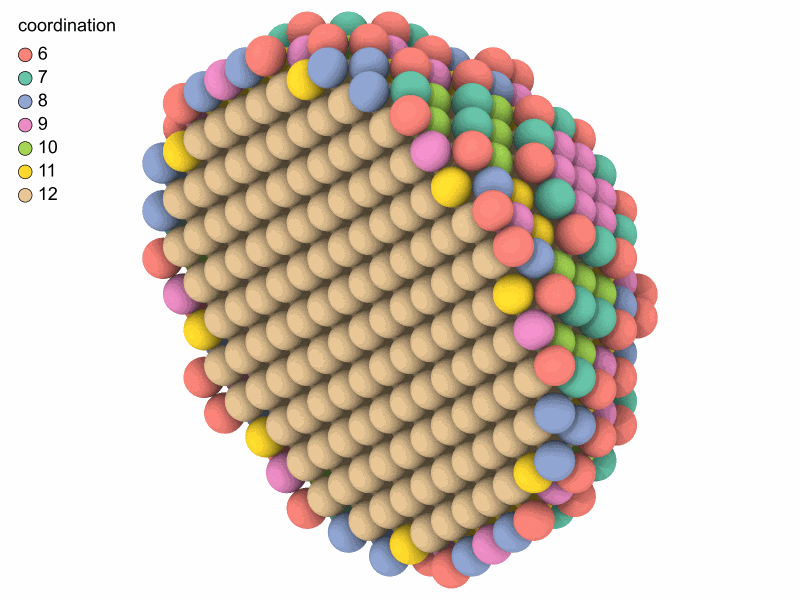
Inside, every atom has 12 neighbors. The surface has fewer, and fewest at the edges and corners.
Another question, the same pattern
Which atoms are in the crystal? Common neighbor analysis looks at how the neighbors of each atom are bonded:
from mdapy.identify import CommonNeighborAnalysis

structures = CommonNeighborAnalysis().compute(particle)
print(structures.counts())
particle = particle.with_columns(structures)
The result of a structure analysis also knows its colors, so it can be passed
to render directly:
render(
    particle,
    "images/structures.png",
    atoms=particle["positions.x"] < center[0],
    color=structures,
    box=False,
    width=800,
    height=600,
    legend=True,
)
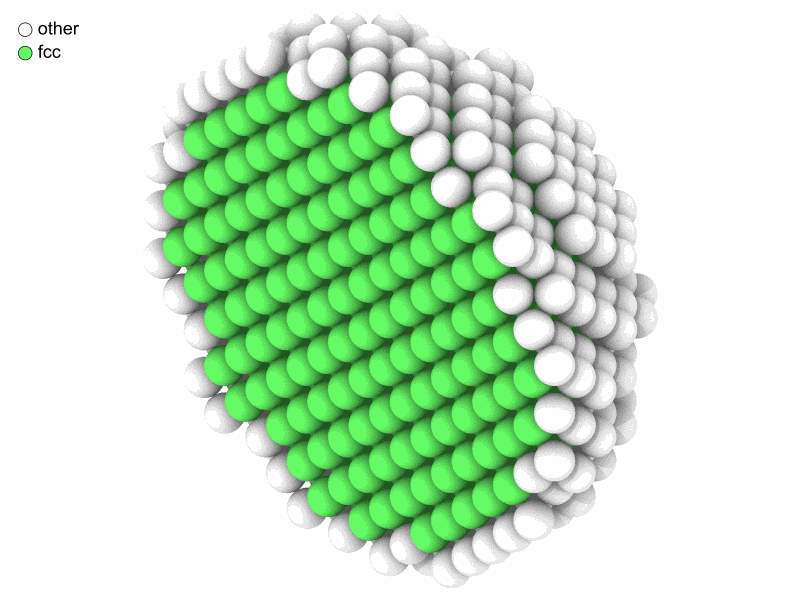
Green for fcc atoms, white for the rest: the surface, as common neighbor analysis needs a full shell of neighbors.
Try it
- Replace
CommonNeighborAnalysis()withPolyhedralTemplateMatching(), also frommdapy.identify. Does it find the same fcc atoms? - Add the column of
CentroSymmetryParameter(12)to the particle, and color by"csp".
An answer
Next: from numbers to figures. All the analyses are listed in the overview of analyses.